BigBlueButton enables universities and colleges to deliver a high-quality learning experience to remote studies.
BigBlueButton is an active open source project that focuses on usability, modularity, and clean design — both for the user and the developer. The project is hosted at Google Code.
BigBlueButton is built by combining over fourteen open source components.

Additional articles:
Videos from Keynotes, Technical Talks, Qt in Education, Qt in Use and Qt Training
This year’s conference program offered three full days of training, technical sessions and Qt in Use presentations. Whether you are a new Qt user, a Qt pro, CTO or Product Manager, Qt Developer Days features more than 50 technical sessions, demos, hands-on labs, compelling case studies and information on partner services to satisfy all your Qt requirements.
Qt Quick for C++ Developers. For those experienced in Qt and C++, but new to QML.
This presentation will focus on those who already know Qt but want to see what QML changes for them. We will show how Qt developers can use the new C++ APIs to register new types and objects. We will also present guidelines to create hybrid C++/QML applications.
In the following series, learn all about STL from the great Stephan T. Lavavej, Microsoft’s keeper of the STL cloth (this means he manages the partnership with the owners of STL and Microsoft, including, of course, bug fixes and enhancements to the STL that ships as part of Visual C++).
- Part 1 (sequence containers)
- Part 2 (associative containers)
- Part 3 (smart pointers)
- Part 4 (an extended example of using the STL to solve Nurikabe puzzles)
- etc
Alexander Alexandrovich Stepanov (Russian: Александр Александрович Степанов) (born November 16, 1950 in Moscow) is the primary designer and implementer of the C++ Standard Template Library [1], which he started to develop around 1992 while employed at HP Labs. He had earlier been working for Bell Labs close to Andrew Koenig and tried to convince Bjarne Stroustrup to introduce something like Ada Generics in C++.
Лекция «Наибольшая общая мера последние 2500 лет» (часть 1 и часть 2)
Слайды: англ и рус.
Лекция «Преобразования и их орбиты» (часть 1 и часть 2)
Elements of Programming – (November 3, 2010) Speakers Alexander Stepanov and Paul McJones give a presentation on the book titled “Elements of Programming”. They explain why they wrote and attempt to explain their book. They describe programming as a mathematical discipline and that it is extremely useful and should not be overlooked.
Stepanov’s homepage
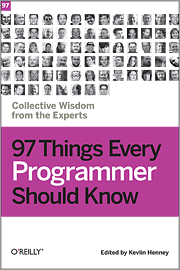 Get 97 short and extremely useful tips from some of the most experienced and respected practitioners in the industry, including Uncle Bob Martin, Scott Meyers, Dan North, Linda Rising, Udi Dahan, Neal Ford, and many more. They encourage you to stretch yourself by learning new languages, looking at problems in new ways, following specific practices, taking responsibility for your work, and becoming as good at the entire craft of programming as you possibly can.
O’Relly homepage
There is the 97 Things Every Programmer Should Know project, pearls of wisdom for programmers collected from leading practitioners. You can read through the Contributions Appearing in the Book.
Russian translation of these tips.
The upcoming C++ standard (C++0x) will support multithreading and concurrency both as an inherent part of the memory model, and as part of the C++ Standard Library. “Multithreading and Concurrency” (Anthony Williams):
Also Herb Sutter is a leading authority on software development. He is the best selling author of several books including Exceptional C++ and C++ Coding Standards, as well as hundreds of technical papers and articles, including “The Free Lunch Is Over” which coined the term “concurrency revolution.”
Effective Concurrency: Prefer Futures to Baked-In “Async APIs”
Qt eLearning solutions provide audio and multimedia-based content to enhance your Qt skill set and expand your ways of learning beyond Qt documentation, books and classroom training.
Technical Sessions (Developer Days 2009)